
The bet251 app was developed for the Brazilian player who never stops. Fast loading, clean interface, Pix deposits, and access to hundreds of games wherever you are — all in the palm of your hand.
The app is not just a smaller version of the website — it was built from scratch for the mobile experience of the Brazilian player.
Optimized for Brazilian 4G and 5G networks. Games load in seconds without freezing, even during peak traffic.
Receive alerts about limited-time promotions, new lobby missions, and withdrawal confirmations directly on your phone screen.
Access your account with fingerprint or facial recognition. No need to type your password every time — fast and secure.
Dark interface that preserves battery life and is easier on the eyes during long nighttime sessions.
Deposit and withdraw in BRL via Pix without leaving the app. Funds arrive in minutes, with no hidden fees or currency conversion.
SSL connection, two-factor authentication, and sessions with automatic timeout. Your data and balance protected on any Wi-Fi network.

Installing the bet251 app is simple and takes less than two minutes. See the step-by-step guide for Android and iOS.
Join your account or register if you don't have one yet. The download link is available after logging in to the profile area.
On Android, go to Settings → Security → Unknown Sources (or Install Unknown Apps) and allow installation of the bet251 .apk file.
Tap the download button, wait for the 42 MB file to download, and open it to install. The process takes less than 30 seconds.
With the app installed, log in with your email and password or use biometrics to access your account and start playing.
Open the app page in Safari — it's important to use Safari so that the Web App installation works correctly on iOS.
In Safari, tap the share icon (square with arrow) and select "Add to Home Screen". The bet251 icon will appear on your iPhone's home screen.
The home screen shortcut opens the app in full screen, without an address bar, exactly like a native App Store application.
The bet251 website already works great on mobile, but the dedicated app offers advantages that make a real difference in a player's daily experience.

| Feature | Bet251 App | Mobile browser |
|---|---|---|
| Loading speed | Ultra-fast | Depends on cache |
| Push notifications | Yes, native | Not available |
| Biometric login | Fingerprint / Face ID | Limited |
| Offline access (history) | Yes | No |
| Mobile data usage | Optimized | Standard |
| Shortcut on home screen | Dedicated icon | Favorites only |
| Exclusive promotions | App-only offers | No |
| HD Live Casino | Optimized streaming | Variable quality |
| Integrated Pix | Directly in the app | Yes |
The bet251 app is not a simplified version — you have full access to the entire platform, with all the same features as the desktop and some exclusive to mobile.
All slots, casino, bingo, crash, and scratch card titles in the catalog are available in the app, with filters and search by name or provider.
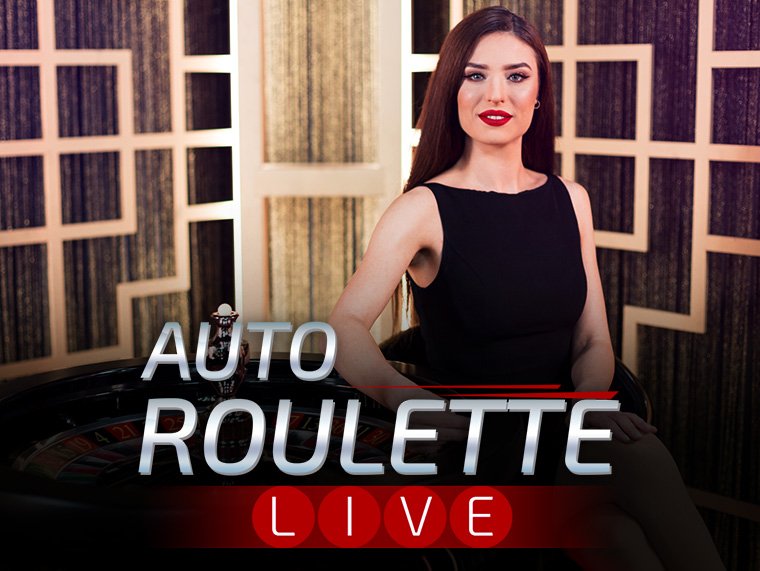
Mobile-optimized streaming: roulette, blackjack, and baccarat with real dealers, broadcast in high definition even on 4G.
See the promotions active directly on the cards of eligible games. No need to leave the lobby to check the terms.
Pix deposit, betting history, withdrawal request withdrawal and bonus statement — all in the app's financial tab.
Live chat built into the app to resolve questions, dispute transactions, or get help with games at any time of day.
Track your latest bets, gaming sessions, wins, and withdrawals directly on the account dashboard — with filters by period and category.
For slot and crash games, standard 4G is sufficient. For HD live casino, we recommend a stable 4G connection or Wi-Fi. The app uses smart compression to reduce data usage by up to 40% compared to the browser.
In recent years, the way people play in Brazil has changed a lot. While the computer used to be the starting point, today the vast majority of players open the online casino directly from their phone — on the bus, during a work break, lying on the couch before bed. bet251 understood this shift from the start and invested in building an app that goes far beyond a simple mirror of the website.
When the bet251 team started developing the app, the starting point was real research with Brazilian players. What did they complain about most in other apps? Freezing on weak 4G, a confusing interface with buttons that were too small, and the difficulty of making a Pix payment without having to leave the app. Each of these points was addressed directly in the final product.
The result is an app of just 42 MB that runs smoothly on mid-range phones with Android 6.0 or higher, without requiring the latest flagship to work well. On iOS, installation via Safari as a Progressive Web App (PWA) ensures iPhone users get a full-screen experience without going through the App Store.
Slots were the first category to be optimized for the bet251 app. And it makes sense: in a slot game, the player interacts mainly through screen taps, which is far more intuitive on mobile than with a mouse. The vertical layout of the games was adapted to fill the smartphone screen naturally, with spin buttons, bet adjustment, and autoplay positioned exactly where your thumb reaches without effort.
Titles like Fortune Tiger, Sweet Bonanza, and Aviator have been particularly optimized for mobile, with animations that run smoothly even on moderate connections. bet251's partner developers, such as PG Soft and Pragmatic Play, already deliver mobile-first versions of their games, meaning the in-app experience is often superior to desktop.
One of the most technically challenging aspects of the bet251 app was the Live Casino. Streaming HD video from a professional studio to a mobile device on 4G without buffering requires smart compression, adaptive buffering, and a robust network architecture. The app handles this with a system that automatically adjusts streaming quality based on connection speed — if 4G is slow, quality drops smoothly to maintain fluidity without interrupting the session.
European roulette, multi-table blackjack, and baccarat are available 24 hours a day in the app, with dealers who interact via live chat in real time. It is one of the few categories where mobile delivers a comparable experience — in some ways even superior — to desktop, since the smartphone screen is much closer to your eyes, making the dealer's presence more immersive.
Pix revolutionized finances in Brazil and bet251 integrated the payment method natively into the app. To deposit, simply go to the financial tab, choose the amount, copy the key or scan the QR Code generated by the app, and confirm the payment in your bank. The balance appears in your account in seconds.
To withdraw, the process is equally straightforward: choose the amount, confirm your CPF details and registered Pix key, and the transfer is processed. In most cases, the money arrives in your bank account within minutes. All of this without leaving the app, without redirects to external sites, without opening a browser.
One of the features players value most in the bet251 app is the push notification system. But these aren't generic spam notifications — they're relevant and personalized to your gaming profile. If you usually play slots at night, you'll receive alerts about free rounds on titles you're interested in. If you've just requested a withdrawal, a notification confirms when the amount has been processed.
You have full control over which notifications you want to receive in the app settings. You can enable only promotional alerts, only financial confirmations, or all categories — without ever being flooded with unnecessary messages.
Bet251 treats app security as a non-negotiable priority. All communications between the app and its servers are protected by 256-bit SSL encryption — the same standard used by major Brazilian digital banks. Biometric login ensures that even if someone picks up your unlocked phone, they won't be able to access your account without your fingerprint or face.
Two-factor authentication (2FA) adds an extra layer of protection: when logging in on a new device, you receive a confirmation code by email or SMS before gaining access. Sessions also expire automatically after a period of inactivity, preventing your account from staying open if you leave the app running in the background.
Bet251 believes that fun starts with self-awareness. That's why responsible gaming tools are accessible within two taps inside the app: daily deposit limit, session time control with alerts, and a full betting history. If at any point you feel that gaming is getting out of control, go to the settings of Responsible Gaming to apply restrictions immediately.
The app also lets you request a voluntary break directly from the account menu, without needing to contact support. The feature takes effect immediately, giving players real control over their own experience.
The bet251 app is updated regularly with new games, performance improvements, and features requested by users themselves. Android app users receive automatic updates when connected to Wi-Fi; on iOS, simply reload the home screen shortcut to always have the latest version.
Each update typically brings at least one batch of new games from partner providers, interface adjustments based on player feedback, and occasionally brand-new features such as new payment methods or game categories. It's a living product that evolves alongside the needs of the Brazilian player.
Go to the FAQ for questions about installation, compatibility, and features of the bet251 app.
Everything you need to know before downloading and installing the app.
Create your account for free, deposit via Pix, and get immediate access to 500+ games on your phone. Android and iOS, hassle-free.
+18 · Play responsibly · Available to eligible residents only